Connection Examples Using Third-Party Serial Converters
A serial converter converts USB data to rs485 communication. It enables control of servos that support rs485 command mode or TTL command mode from a PC USB port.
If our serial converter, RSC-U485,is not recognized due to Windows 11 updates or if the driver cannot be installed because of security settings, we recommend one of the following third-party alternatives.
Please install the drivers according to the procedures recommended by each manufacturer.
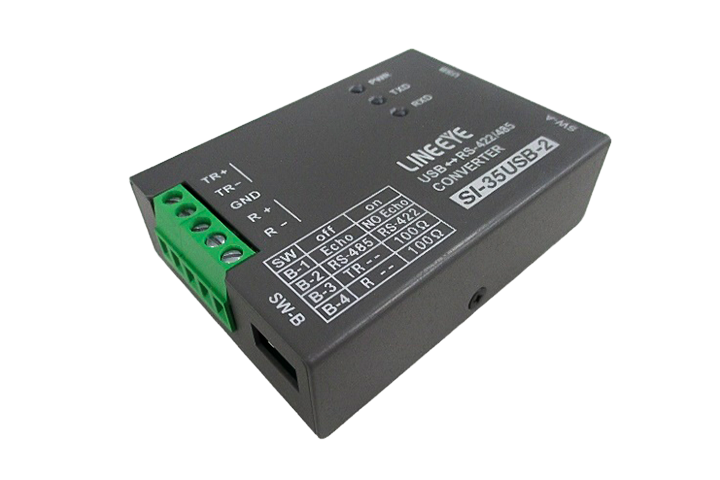
LINEEYE Corporation
Interface Converter SI-35USB-2
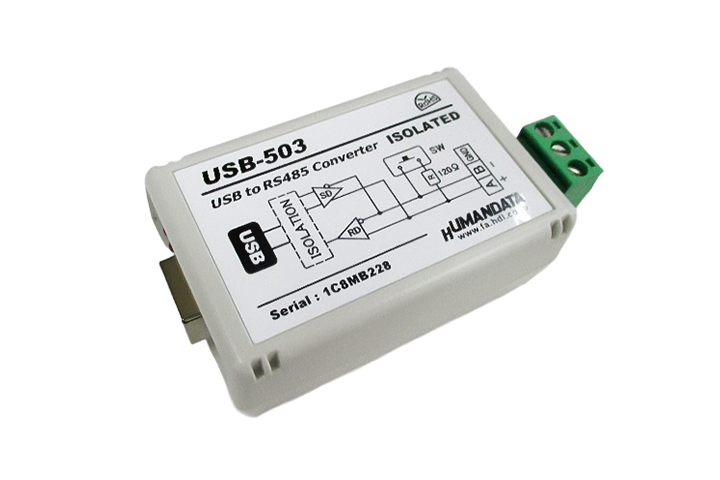
HuMANDATA Ltd.
USB-to-rs485 Isolated Converter (Compact) USB-503
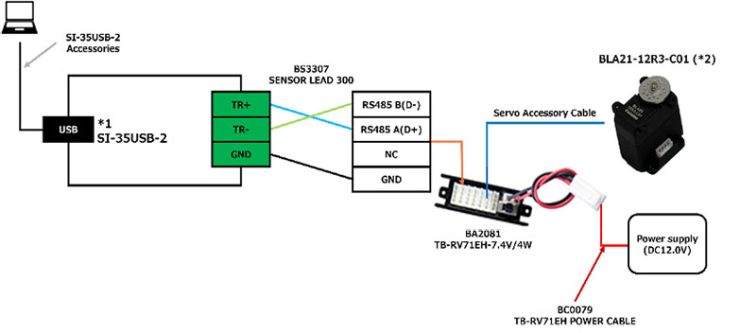
LINEEYE Interface Converter SI-35USB-2
Connection for rs485 Command Mode Servos
Connection for TTL Command Mode Servos
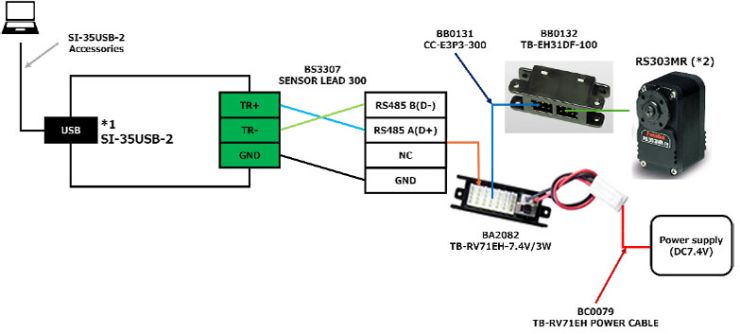
- When using this converter, set the rs485 communication DIP switch (SW-B No.1) to ON to disable echo-back.
Please install the driver according to the manufacturer's recommended procedure. - Operation has been verified only with the model specified above.
HuMANDATA USB-to-rs485 Isolated Converter (Compact) USB-503
Connection for rs485 Command Mode Servos
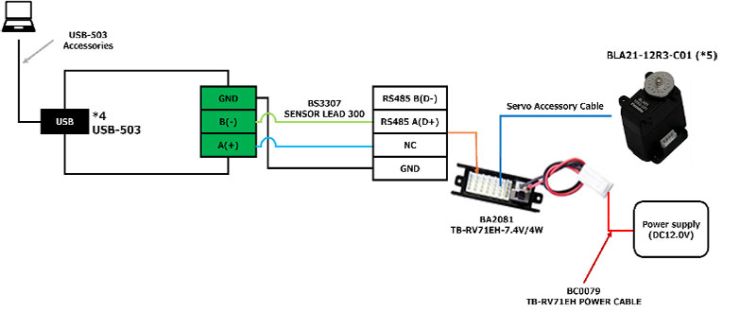
Connection for TTL Command Mode Servos
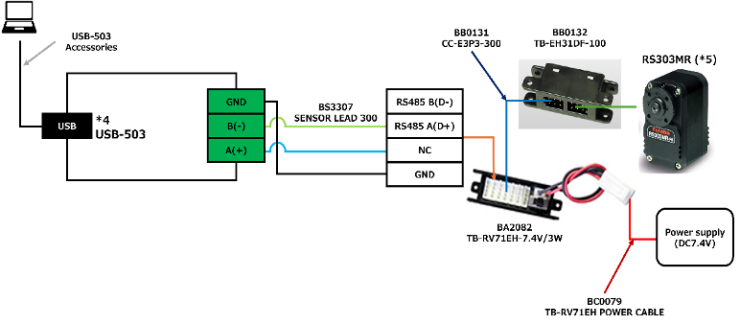
- Please install the driver according to the manufacturer's recommended procedure.
- Operation has been verified only with the model specified above.
Connecting the Serial Converter Terminal Block and Cable (BS3307 SENSOR LEAD 300)
1. Cable Preparation
To connect the BS3307 SENSOR LEAD 300 cable (hereinafter referred to as the "cable") to the serial converter terminal block, modify the cable as described below.
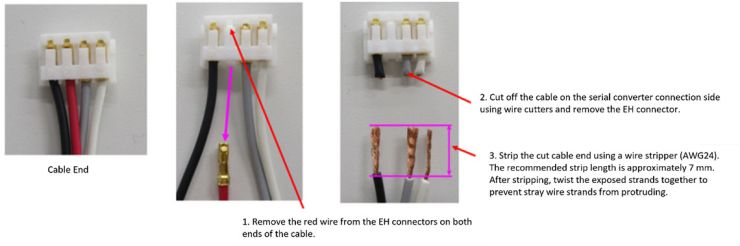
2. Connecting the Terminal Block and Cable
Connect the modified cable to the terminal block of the serial converter.
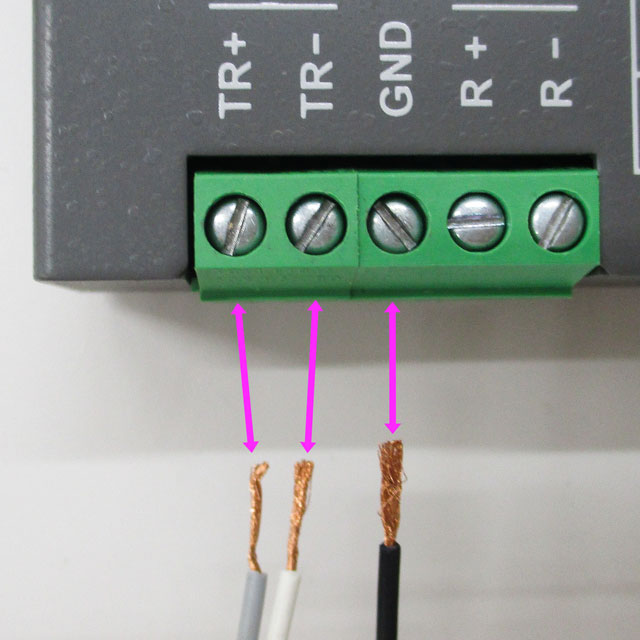
Connection Between the LINEEYE SI-35USB-2 and the Cable
rs485 Terminal Block
TR+ ↔ Gray wire
TR- ↔ White wire
GND ↔ Black wire
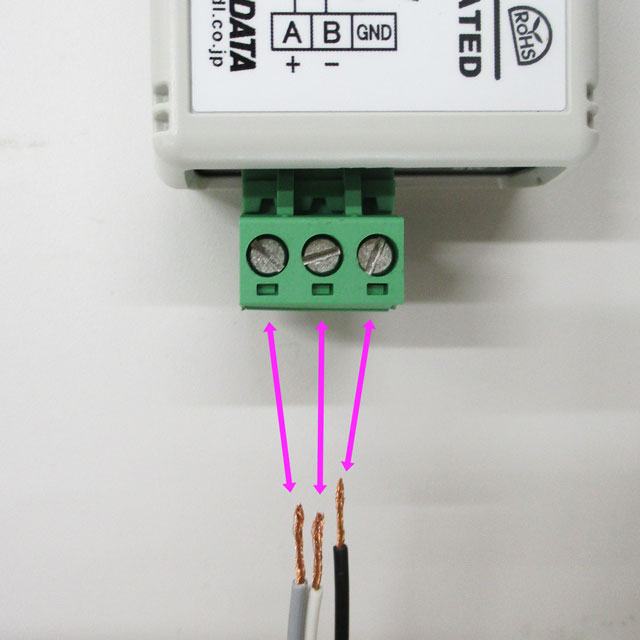
Connection Between the HuMANDATA USB-to-rs485 Isolated Converter (Compact) USB-503 and the Cable
rs485 Terminal Block
A(+) ↔ Gray wire
B(-) ↔ White wire
GND ↔ Black wire
Please note: We are unable to provide support for the two third-party serial converters listed above. Please contact the respective manufacturers directly for product-related inquiries.